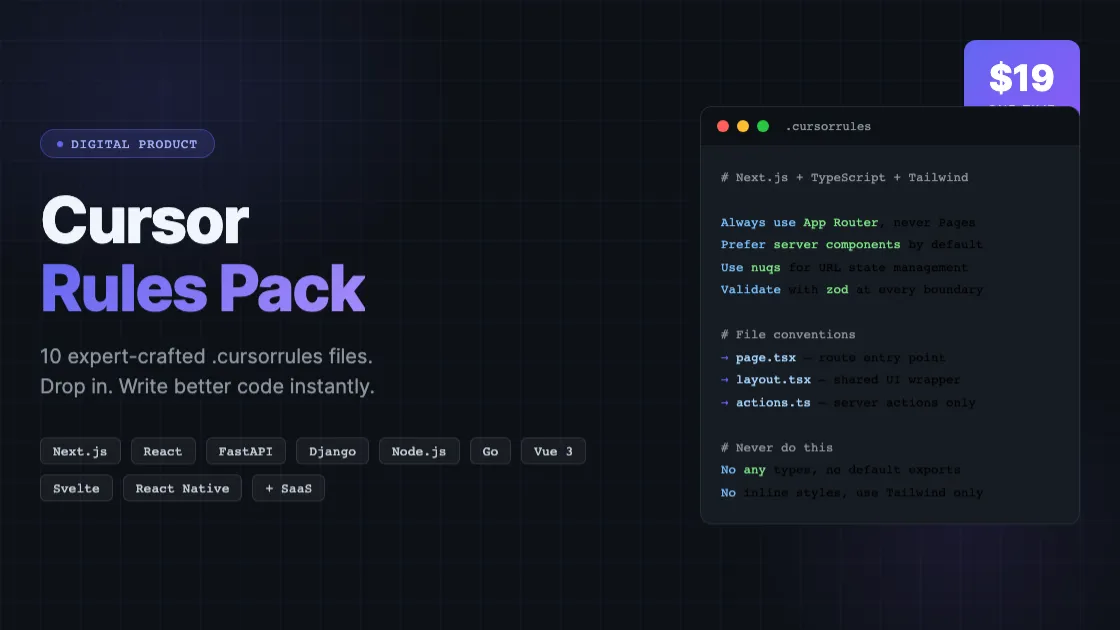
Cursor Rules Pack — 10 Expert .cursorrules Files for Modern Tech Stacks
Description
What's Included
| File | Stack | Best For |
|------|-------|----------|
| `01-nextjs-typescript-tailwind.cursorrules` | Next.js + TypeScript + Tailwind CSS | Full-stack web apps, marketing sites, SaaS frontends |
| `02-react-typescript.cursorrules` | React + TypeScript (Vite/CRA) | SPAs, admin dashboards, client-rendered apps |
| `03-python-fastapi.cursorrules` | Python + FastAPI | Async REST APIs, microservices, ML model serving |
| `04-python-django.cursorrules` | Python + Django + DRF | Full-stack web apps, content platforms, REST APIs |
| `05-nodejs-express-typescript.cursorrules` | Node.js + Express + TypeScript | REST APIs, backend services, API gateways |
| `06-react-native-expo.cursorrules` | React Native + Expo | iOS and Android mobile apps |
| `07-vue3-typescript.cursorrules` | Vue 3 + TypeScript + Pinia | SPAs, progressive web apps, Vue-based projects |
| `08-go-backend.cursorrules` | Go | High-performance APIs, CLI tools, backend services |
| `09-svelte-typescript.cursorrules` | Svelte 5 + SvelteKit + TypeScript | Fast web apps, SSR/SSG sites, interactive UIs |
| `10-fullstack-saas.cursorrules` | Next.js + Prisma + Stripe (SaaS) | Multi-tenant SaaS apps with billing and auth |
---
## How to Use a .cursorrules File in Cursor
1. Open the root folder of your project in Cursor.
2. Copy the relevant `.cursorrules` file to your project root.
3. Rename it to exactly `.cursorrules` (with the leading dot).
4. Cursor will automatically detect and apply the rules to every AI interaction in that project.
**Example:**
```bash
# For a Next.js project
cp 01-nextjs-typescript-tailwind.cursorrules /path/to/my-nextjs-app/.cursorrules
# For a FastAPI project
cp 03-python-fastapi.cursorrules /path/to/my-api/.cursorrules
```
Once the file is in place, open Cursor and start a conversation. The AI will follow the rules in every code generation, completion, and refactoring suggestion.
---
## Which File Should I Use?
**Starting a new web app?**
- Use `01-nextjs-typescript-tailwind.cursorrules` if you want a full-stack Next.js setup.
- Use `02-react-typescript.cursorrules` if you need a pure SPA (no server rendering).
- Use `07-vue3-typescript.cursorrules` if your team prefers Vue.
- Use `09-svelte-typescript.cursorrules` for a Svelte/SvelteKit project.
**Building a backend API?**
- Use `03-python-fastapi.cursorrules` for a modern async Python API.
- Use `04-python-django.cursorrules` for a Django monolith or Django REST Framework API.
- Use `05-nodejs-express-typescript.cursorrules` for a Node.js REST API.
- Use `08-go-backend.cursorrules` for a high-performance Go service.
**Building a mobile app?**
- Use `06-react-native-expo.cursorrules` for a cross-platform iOS/Android app.
**Building a SaaS product?**
- Use `10-fullstack-saas.cursorrules` — it covers multi-tenancy, Stripe billing, authentication, and the patterns specific to subscription software.
---
## Tips for Getting the Most Out of These Files
- **Stack-specific projects:** Use only one `.cursorrules` file per project. Combining multiple files can create conflicting instructions.
- **Monorepos:** Place the rules file in each sub-package root, not just the monorepo root.
- **Customizing rules:** These files are plain text. Add your team's specific conventions at the bottom — Cursor merges all instructions.
- **Updating:** When you adopt a new framework version with breaking changes, review the relevant section in your rules file and update accordingly.
---
## Rule Coverage
Every `.cursorrules` file in this pack covers:
- Code style and formatting preferences
- Framework-specific best practices and patterns
- File and folder organization conventions
- Naming conventions (components, hooks, functions, constants)
- Testing approach and tooling
- Error handling patterns
- Performance optimization techniques
- Security considerations
- Common anti-patterns to avoid
- How to structure components, functions, and modules
---
## License
Single-user license. You may use these files across all your personal and professional projects. Redistribution or resale of the files themselves is not permitted.